If you're a business and your emails end up in your customers' spam folders, you could be missing out on valuable opportunities and damaging your reputation.
In this guide, you'll learn why this happens and what you can do to ensure your messages reach the correct inbox. We'll analyze the most common reasons why emails are marked as spam and how to resolve them with concrete and effective actions. You'll also discover how to leverage professional solutions to sustainably optimize your business communication, strengthen your domain's reputation, and maintain customer trust in every message they receive.
What is spam and why does it affect your emails?
Spam, also known as junk mail, is any unsolicited electronic message that receiving servers identify as irrelevant, excessive, or even suspicious. For businesses, having their emails marked as spam means losing visibility, business opportunities, and, in many cases, damaging their domain's reputation. That's why it's crucial to understand exactly what spam is and how to avoid it so your messages reach your customers' inboxes.
Email service spam filters are becoming increasingly sophisticated, analyzing multiple factors to determine whether a message is legitimate. They consider not only the content but also the server's reputation, domain authentication, and recipients' behavior toward your emails. This means that even perfectly valid messages can be sent to the spam folder if they don't meet certain technical and quality standards. Understanding how these filters work is key to designing effective business communication strategies.

Executive checking his inbox
Why do your emails end up in the spam folder?
Many factors can cause email servers to classify your messages as spam. Understanding what these factors are and how they work is the first step to correcting them and improving your delivery rate.
This classification isn't random: spam filters analyze a vast number of signals in seconds, ranging from technical aspects like your domain authentication and server reputation to details about the content and how recipients interact with your messages. If you don't understand how these filters work or what practices might harm you, you risk repeating mistakes that negatively impact your communication and erode customer trust. That's why it's crucial to identify the root causes and address them completely.
Domain authentication lacking
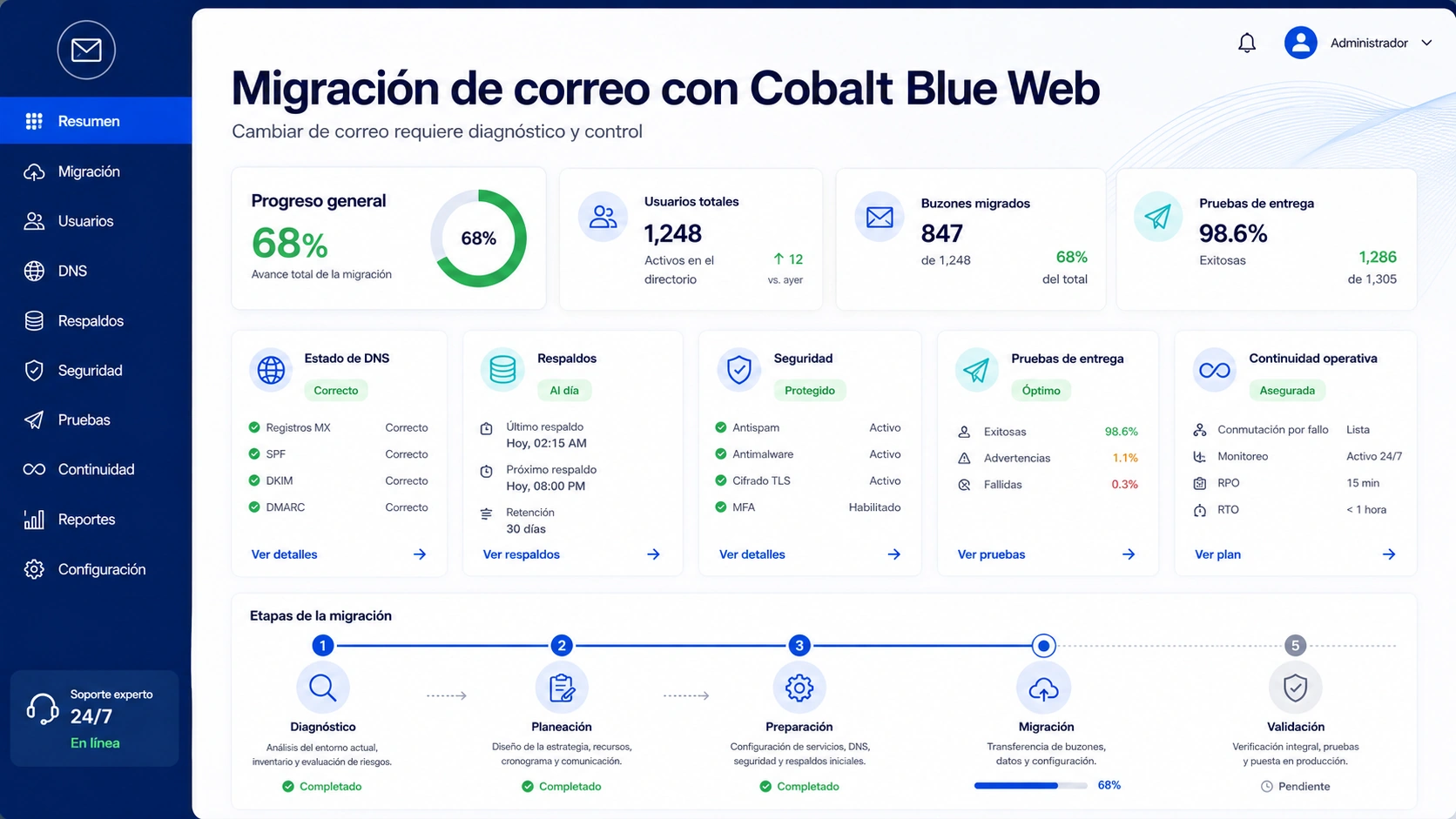
When you send emails from your company's domain, your clients' servers try to verify whether those messages are actually coming from you or if someone is spoofing them. This is done using three key records that are configured in the domain: SPF, DKIM, and DMARC . If you don't have them configured, spam filters can't confirm that you're a legitimate sender, so your messages will appear suspicious and may go straight to the spam folder.
These records act as a “digital signature” which guarantees that your emails leave an authorized server and have not been modified by anyone else.
It is recommended to ask your hosting provider or your IT administrator to properly configure these records for your domain.

Domain Authentication
Use of suspicious words in the matter
The subject line of an email is the first thing spam filters check. If you use overly flashy or misleading words or phrases, such as “FREE!”, “WINNER”, “DON’T MISS THIS OPPORTUNITY”, the filters interpret it as unwanted mail.
To avoid this, use clear, professional subject lines that accurately describe the message content, for example: Update your contract o Exclusive promotion for business customers.
Bad reputation of the sending server
If your server is in a black list Because you've sent spam in the past, your emails will be blocked or automatically sent to spam. This often happens when you share a server with other companies or use unreliable providers.
Ideally, you should use a reputable business email service and regularly monitor your domain's reputation.
Data and statistics
In fact, the data shows the magnitude of the problem: studies by Return Path indicate that more than 20% of legitimate emails sent by businesses end up in the spam folder, mainly due to incorrect settings, outdated lists, or poorly written subject lines. This means that one in five opportunities to contact your customers could be lost without you even noticing. Paying attention to these details isn't optional; it's key to maintaining the effectiveness of your communication.
Furthermore, other complementary studies have shown that users rarely check their spam folder and usually delete it automatically, so most of these messages are never read. Therefore, paying attention to every technical and content detail is not optional: it's a key investment for maintaining the efficiency of your communication and your customers' trust in your brand.
What to do if you're already on blacklists?
Being on a blacklist might seem like a serious problem for your company, but it can be resolved if you act quickly and systematically. These lists are public databases used by email providers to identify potential spammers and protect users.
The first step is to confirm whether you're actually on a blacklist. You can easily do this with free tools like MXToolbox or Blacklist Check. Just enter your domain name or your server's IP address and check the results. If you're listed, the tool will also tell you which specific databases you're registered with.
Next, identify the cause. The most common reasons are sending emails to outdated lists, having users mark your messages as spam, or even another user on the same server abusing the service. Review your sending practices and update your lists by removing invalid emails or inactive contacts.
Once you've identified and corrected the problem, contact the blacklist administrator directly. Each database has its own removal request process; usually, you simply need to fill out a form explaining the corrective measures you've already implemented. Some providers may take a few hours, while others may take several days to process your request.
Finally, regularly monitor your domain's reputation to ensure you are not listed again.
Best practices to prevent your emails from going to spam
Adopting best practices not only improves email deliverability, but also protects your domain's reputation and builds trust with your customers. Here we explain the most important ones, step by step:

Tips to avoid spam
Configure SPF, DKIM, and DMARC
These three records work together to prove that you are a trusted sender:
SPF: authorizes which servers can send emails on your behalf.
DKIM: adds a digital signature to confirm that the content was not altered in transit.
DMARC: It tells the servers what to do if a message fails the previous validations.
If you haven't configured them, your messages may appear fake to spam filters. Contact your hosting provider or technical support team for assistance in setting them up correctly.
Use a reliable business email service
Sending emails from personal accounts like @gmail or @hotmail is not only unprofessional, it can also increase the risk of being marked as spam. Hiring a business email service with your own domain (like contact@yourcompany.com ) gives you greater credibility , a better sending reputation, and technical support when you need it.
Pay attention to the content and design of the message.
The filters also analyze how emails are written and designed. To achieve better results:
Use lowercase letters instead of writing entire sentences in all caps.
Keep exclamation marks to a minimum to avoid an overly dramatic tone.
Verify that all links work correctly and avoid unreliable link shorteners.
Optimize images to be lightweight and always add descriptive alt text.
Opt for a clean, professional design that balances text and images to convey confidence and clarity.
Keep your contact list up to date
Outdated contact lists are a major cause of bounces and complaints. This damages your reputation and increases the likelihood of your messages ending up in spam. Update your lists by removing invalid addresses, bounces, and users who no longer engage with your emails. Also, always include a visible unsubscribe link so recipients can easily opt out.
Offer value in every email
Finally, make sure your messages are truly worthwhile for your recipients. If your content is irrelevant or annoying, users might mark you as spam, damaging your reputation. Send useful information, genuine promotions, relevant news, or exclusive content tailored to your target audience.

Customer satisfied with their email
How to avoid spam depending on the service you use
In addition to the general best practices that apply to any sender, each email service offers specific settings and tools that you can leverage to strengthen message authentication, improve your domain's reputation, and reduce the risk of your emails ending up in the spam folder. Understanding the specifics of each service will help you optimize your email campaigns based on the platform you use.
Google Workspace (Business Gmail)
Configure SPF, DKIM, and DMARC records from the administration console to properly validate your domain.
Use authorized mailing lists or tools instead of sending mass messages from personal accounts.
Review the deliverability reports that Gmail offers to detect potential problems in time.
Microsoft Office 365 (Outlook for Business)
Configure SPF, DKIM, and DMARC records from the administration portal.
Monitor blocked or rejected emails from the Security and Compliance Center.
Activate tracking options to confirm receipt of important messages.
Emails on CPanel
Verify that SPF and DKIM records are enabled from the Email Authentication section.
Enable DMARC manually to strengthen authentication.
Keep your contact lists clean to avoid bounces and protect your server's reputation.
Ready to ship? Check these points first
Before launching your next email campaign, make sure you follow these steps to prevent your messages from ending up in the spam folder:
Properly configure the SPF, DKIM, and DMARC records in your domain.
Keep your contact lists up-to-date and free of invalid addresses.
Write a clear, professional, and relevant subject line for the recipient.
Verify that all links and images are working and optimized.
Perform a test send to confirm that the message arrives in the inbox.
Put it into practice and improve your results
Now you know that preventing your emails from ending up in the spam folder depends on both technical factors and the decisions you make when designing and sending your messages. Applying best practices, properly configuring your domain, and maintaining clean mailing lists are simple actions that make a big difference in how your emails are perceived.
Take the next step to optimize your emails and connect better with your customers. Check out our plans here for reliable, spam-free email for your business.