


Add things to do to your Google Calendar using reminders
What's new?
The latest in Google apps. The latest in Google apps. For Android users with Google Calendar , you can now keep your to-dos and daily events in one place.
How does it work?
A reminder is added using the same button as an event (“+”)
 If a reminder isn't completed on the day it was saved, it will continue to appear at the top of your events so you don't forget it until you mark it as done or completed.
You can also review these reminders in Google Keep, Gmail inbox , and Google Now.
Data loss prevention (DLP) for Gmail
What's new?
As a company, we have confidential data that we want to keep safe. Google Workspace already allows you to manage security with various types of security filters, but sometimes these measures are compromised by a typo, like clicking "send to everyone."
What DLP will do for Gmail is add another, more specific layer of security to prevent sending sensitive information.
How does it work?
Some organizations have a policy that the sales department does not share customer credit card information externally. To keep this information safe, administrators can now use DLP, select credit card numbers from the content library, and Gmail DLP will automatically check all emails from the sales department for that specific action before sending. If implemented, the email will be quarantined before being sent for review.
That's just one example; these checks can also be applied to content within attachments by creating keywords.
Only available for Google Work Unlimited
Extra ease in updating all your Google Calendar data across your devices
What's new?
In your daily life, it's necessary to have all your events or reminders at hand, and in this latest update to Google Calendar, it became easier to sync all your devices.
How does it work?
If sync is turned off on any of your devices, you'll see a message in the left-hand menu to activate this function; just click on your email and it will be reactivated.
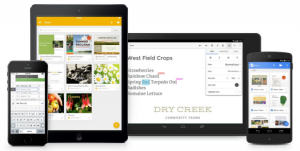
Improved Google Drive search experience
What's new?
Google Drive lets you upload files from any device; finding these files should be easy, and Google changed its search methods based on this.
How does it work?
Now you can narrow your search by searching by file type
On iOS you can access recent files from home
On iOS, there's a search bar for Drive without having to open the app.
Search for shared files using the person's name or email address
Search based on the words contained in a file
Using Google Docs templates in mobile apps
What's new?
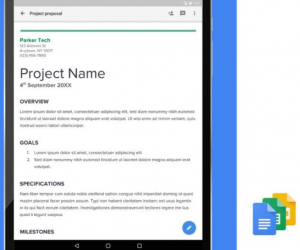
Templates let you create documents faster with various formatting options, and now you can use them from Android or iOS.
How does it work?
Now when you create any type of document, you can click on “+” and it will give you options to use the different available templates.
View Google Sheets features in your preferred language
What's new?
Google Sheets is used around the world, and with this improvement, users will be able to view the features in English or any of the other 21 additional languages.
How does it work?
Now there will be the option to leave everything in English or change the language in new or existing jobs.

New Google business apps
Become a Google administrator now on Android
What's new?
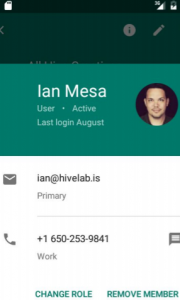
This app will help you easily manage users and groups, among other administrative tasks, from your phone.
How does it work?
You can create users with information saved on your phone such as cell phone number or address.
You can change a user's role or remove them from a group from your phone.
Registration for Chrome OS certification
What's new?
A new and innovative way to sign up for the Chromebook experience.
How does it work?
This new extension will allow users to easily request a certificate from their Chromebook administrator to access company-protected files.
Routing in the Google Admin Console
What's new?
Different routing methods can be established in the domain, depending on the subject of the email, or a password requirement can be set when sending it.
How does it work?
Routing under Gmail – Advanced settings – General Settings The newest in google apps
Where you will find the different routing sections: Sending routing, Receiving routing, Outbound gateway, Default routing and Email routing
We listen to you


