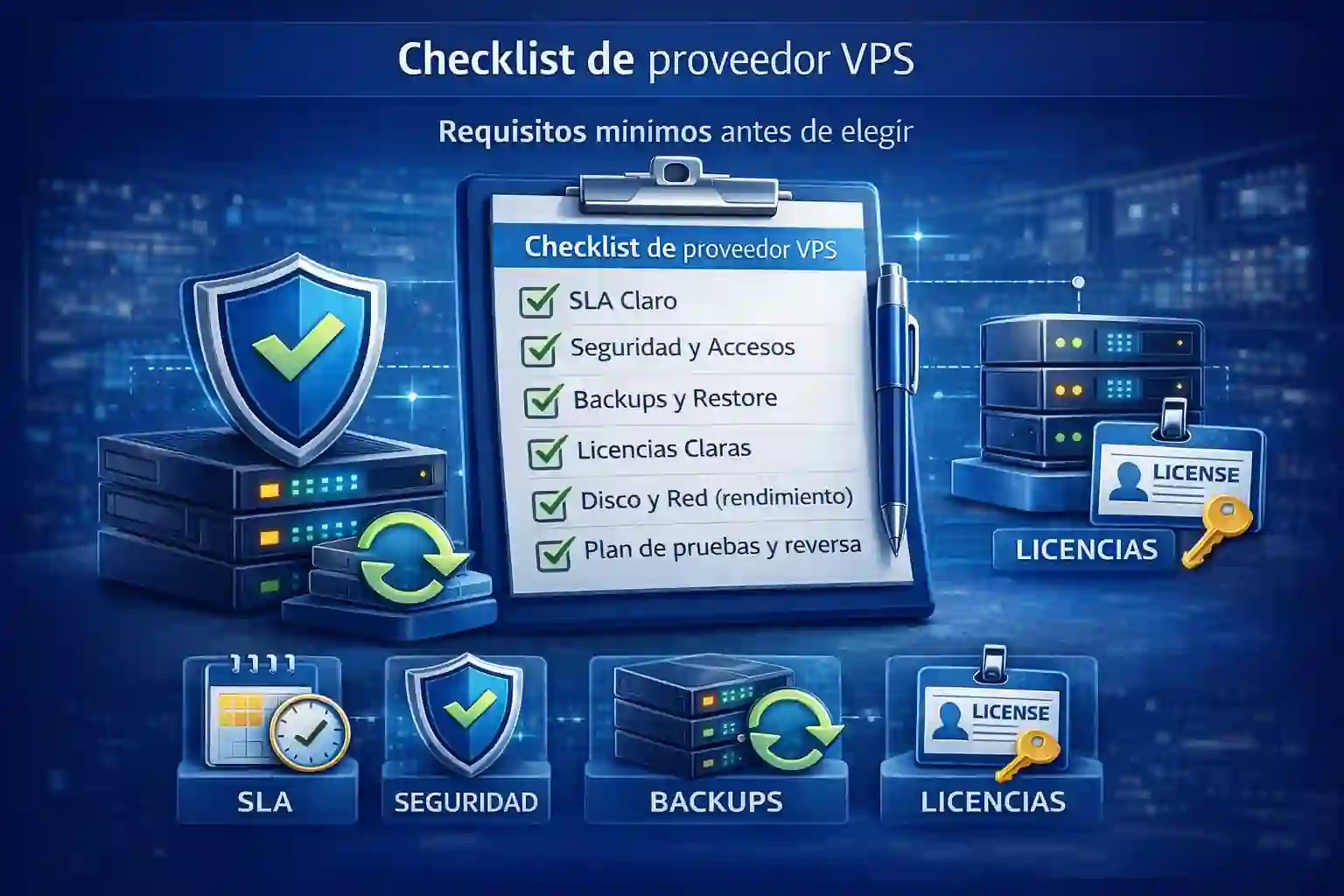
Si vas a hire a VPS for your companyThe decision shouldn't be based on "more RAM for less money," but rather on operational evidence: measurable support, verifiable backups, consistent security, and a clear migration path without surprises. Furthermore, when a vendor fails, the real impact almost always translates into lost hours, stalled sales, and rework for the IT team. Therefore, here's a checklist for evaluating vendors based on technical criteria, but explained in a practical way.
How to define goals before hire a VPS for your company
First, define the true purpose of the VPS: are you looking for stability for an administrative system, a server for Windows applications, a database, or a web platform with traffic spikes? In other words, a VPS for remote sessions is not the same as a VPS for a website with campaigns.
Furthermore, it quantifies "success" in simple terms: acceptable response times, maximum tolerable downtime, permitted maintenance window, and estimated growth over 12 months. This way, when comparing offers, you can discard proposals that don't meet your operational needs, even if they appear attractively priced.
On the other hand, it validates who makes the decisions internally: management, IT, accounting, or operations. If there isn't a clear person in charge, then the project is driven by urgent needs, and consequently, the first thing that "promises" is hired.
What specifications to ask for before hire a VPS for your company
Then, request complete specifications, not just CPU and RAM. In other words, demand clarity on:
-
Storage type (SSD/NVMe) and performance limits.
-
Disk capacity and growth (including logs and backups).
-
Network: bandwidth, typical latency, data center location.
-
Virtualization and “no overselling” policies (if applicable).
-
Administrative access and operating limits.
Furthermore, ask them to explain what happens if you need to increase resources: how long it takes, if there's a restart, and how the change window is managed. In fact, many "mysterious outages" occur when a plan is adjusted without proper oversight.
Likewise, if your workload involves desktop or multi-user software, it's advisable to review options designed for that profile, because the consumption pattern changes. In that case, you can compare your scenario with Windows VPS servers for administrative systems and use it as a reference to avoid underestimating concurrent sessions and storage.
CTA 1 (integrated): If you operate business applications, review the approach of Windows VPS servers for administrative systems before closing the plan.
How to evaluate support and SLAs hire a VPS for your company

What must be put in writing
However, “24/7 support” doesn’t mean the same thing to everyone. Therefore, request a written SLA with clear definitions: first response time, containment time, and estimated resolution time based on severity.
Additionally, validate the channel: formal help desk, ticketing, phone, and escalation. If the provider only offers "WhatsApp" without a process, then the operation depends on staff availability, and that doesn't scale.
Similarly, ask what the "managed" support includes: patches? hardening? monitoring? optimization? just reboots? Consequently, if the scope is ambiguous, the real cost appears later under "additional services."
On the other hand, ask for monitoring evidence: what metrics they monitor, how often, and what they do when they detect performance degradation. Otherwise, the provider only finds out about the problem when you already have users with downtime.
What to ask about backups hire a VPS for your company

Backup without restore is not continuity
Next, review backups as if you were going to restore them tomorrow. That is, ask yourself:
-
Frequency (daily, incremental, hourly, according to criticality).
-
Retention (how many days/months).
-
Location (if the copy lives off the server and outside the same storage).
-
Evidence of restoration (when was the last one and with what evidence).
Furthermore, ask them to tell you the "operational" RPO and RTO, not the "theoretical" ones. In other words: how much data you could lose and how long it would take to resume trading.
Also, check if the backup includes a database in a consistent state, because otherwise you could "restore" files that do not boot the system.
Therefore, be wary of phrases like "yes we have backups" if they can't show you success/failure reports and restore logs.
What to check regarding security and access hire a VPS for your company
Next, review security as part of the service, not as an "extra". For example, confirm:
-
MFA (ideally) for administrative or panel access.
-
Password policies and rotation.
-
IP or VPN restriction (depending on your operation).
-
Access log and audit (who entered, when and what changed).
-
Patch management and system hardening.
Additionally, ask if the vendor offers true isolation (segmentation) and what practices they use against brute force attacks, RDP exploitation, and malware. If the answer is vague, then the risk shifts to your company.
On the other hand, define the responsibilities model: what the supplier does and what your team does. That way, if an incident occurs, no time is wasted arguing about "whose responsibility it was."
How to validate performance and storage when hire a VPS for your company
Next, validate performance with simple tests, because "resources" are not just about quantity, but quality. For example:
-
Disk read/write test and latency.
-
Monitoring during peak hours (if an operation is already in place).
-
Actual consumption per concurrent user (in remote sessions).
-
Database performance in typical tasks (closing, reporting).
Additionally, ask about hidden limits: IOPS, throughput, "fair use," and whether the plan shares hardware with other customers under heavy load. Consequently, a "cheap" VPS can become slow when a neighboring VPS consumes disk or CPU resources.
Similarly, check disk growth by reviewing logs, attachments, and temporary files. In fact, many "server crash" incidents are actually due to 100% disk usage from files that no one was monitoring.
What to consider if you use Windows and licenses hire a VPS for your company
If your operation depends on Windows, then licensing is non-negotiable, and therefore it must be very clear: Windows Server, CALs, RDS (if there are sessions), and SQL Server licenses if applicable.
Additionally, verify compatibility with your software: versions, dependencies, .NET, services, and security requirements. If the vendor doesn't ask about any of this, it's usually because they sell "generic infrastructure" and not systems-oriented operations.
Also, if your stack is aligned with Aspel, it's worth evaluating an environment already designed for that reality, because the difference is noticeable in performance, support, and base configuration. In that case, review Windows VPS server for Aspel as a reference for criteria and scope.
CTA 2 (integrated): If your company uses Aspel, see the approach of Windows VPS server for Aspel before signing with a generic supplier.
How to perform testing and controlled migration to hire a VPS for your company
Finally, a well-executed hiring process includes a migration plan. Therefore, it requires a phased process:
-
Survey (inventory and dependencies).
-
VPS preparation (basic security and configurations).
-
Copying and synchronizing (data and databases).
-
Testing by area (key users).
-
Cutover window with checklist.
-
Reverse plan (if something goes wrong).
-
Post-cut monitoring (first few days).
In addition, it requires the provider to tell you what it considers "successful" in the outage: services up, users authenticating, critical processes running, and acceptable performance.
On the other hand, it prevents "one-off" migrations without testing. In practice, that turns any minor detail into an operational shutdown.
Warning signs: when it's easy to choose the wrong provider
At this point, you already have the technical checklist. However, it's also important to identify signs of commercial and operational risk:
-
They promise “administration” without describing specific tasks.
-
They don't offer SLAs, or they offer them without strict requirements and without timeframes.
-
They say "backups included" but they don't mention restores.
-
They don't ask about licenses, concurrent users, or dependencies.
-
They don't have a migration process, they just "we'll set it up for you".
Furthermore, if the proposal does not separate one-time cost (migration) vs monthly cost (operation), then you are likely to encounter subsequent charges for “changes” that were actually necessary from the beginning.
Typical scenarios: CONTPAQi and administrative systems
If your company uses CONTPAQi, the sizing should consider concurrency, databases, closing times, and consistent backups. Therefore, it's advisable to compare providers with a specific reference for your use case; in that regard, review VPS servers for CONTPAQi to align expectations, especially if you manage multiple branches or remote users.
CTA 3 (integrated): If your operation depends on CONTPAQi, use the guide VPS servers for CONTPAQi as a basis for requesting a comparable quote.
How to turn this checklist into a decision in 48 hours

Minimum requirements before choosing
To wrap things up neatly, summarize your decision in an internal table with three columns: “requirement”, “supplier A”, “supplier B”. Then, assign a traffic light system: green if it meets the evidence, yellow if it's a promise, red if it doesn't.
Furthermore, if you have any doubts, the quickest way to avoid the typical mistake is to request a technical validation of the case (users, apps, licenses, and backups) before signing. CTA 4 (integrated, at the close): If you want to refine your requirements and compare providers without assumptions, use the following as a reference VPS servers for CONTPAQi and request a proposal aligned with your operation.
FAQ's

Turn a checklist into a decision
1) What should I demand to know if a VPS is truly “managed”?
A written scope: patches, monitoring, security, backups, and support times.
2) What is the most important thing in an SLA?
First response and containment time by severity.
3) How do I verify that the backups work?
Request evidence of restoration tests and success/failure reports.
4) What causes more slowness: insufficient RAM or a slow disk?
The disk is very often used; therefore, ask about SSD/NVMe and IOPS limits.
5) What should I check if I will be using RDP or remote sessions?
Concurrency, RDS/CALs, access security and consumption per user.
6) What common mistake is made when migrating?
Make the cut without testing by area and without a reversal plan.
7) Why does licensing change the price?
Because Windows, RDS, and SQL can be a significant part of the total cost.
8) What sign indicates a risky supplier?
Vague promises (“managed”) without tasks, metrics, and evidence.
9) Is it advisable to choose based solely on monthly price?
No; the real cost appears in downtime, rework, and insufficient support.
10) What deliverable should be requested before signing?
Migration checklist, cutoff window, and written responsibilities.